Visual clarity is essential for high-performance trading. Mkt-Viper Pro includes a sophisticated Candle Coloring Engine that paints your price bars to reflect the status of the underlying trend algorithm.This feature allows you to instantly gauge market conditions and trends. You can select your preferred mode from the “Candle Coloring Mode” dropdown in the settings.
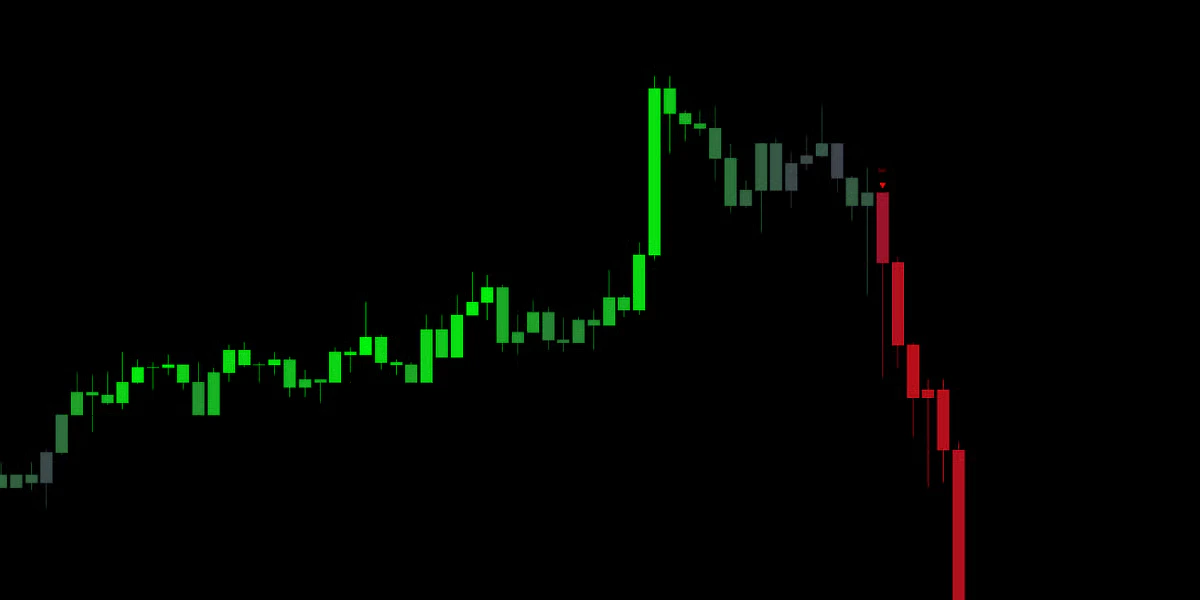
Default & RecommendedThe Gradient Candle coloring mode provides a clear visualization of trend direction and strength. The Gradient engine analyzes the intensity and velocity of the price move relative to the trend baseline.
Vibrant/Bright Colors: Indicate high-momentum moves and strong conviction. This typically happens during breakout phases or rapid expansions.
Faded/Darker Colors: Indicate that momentum is slowing down or price is consolidating and could signify a weakening trend.
How to use it: Use the color intensity to spot Trend Exhaustion. If a trend has been bright green for several bars and suddenly starts fading to a darker, dull green (even while price is rising), it often serves as an early warning that buying pressure is drying up and a reversal or pullback may be imminent.
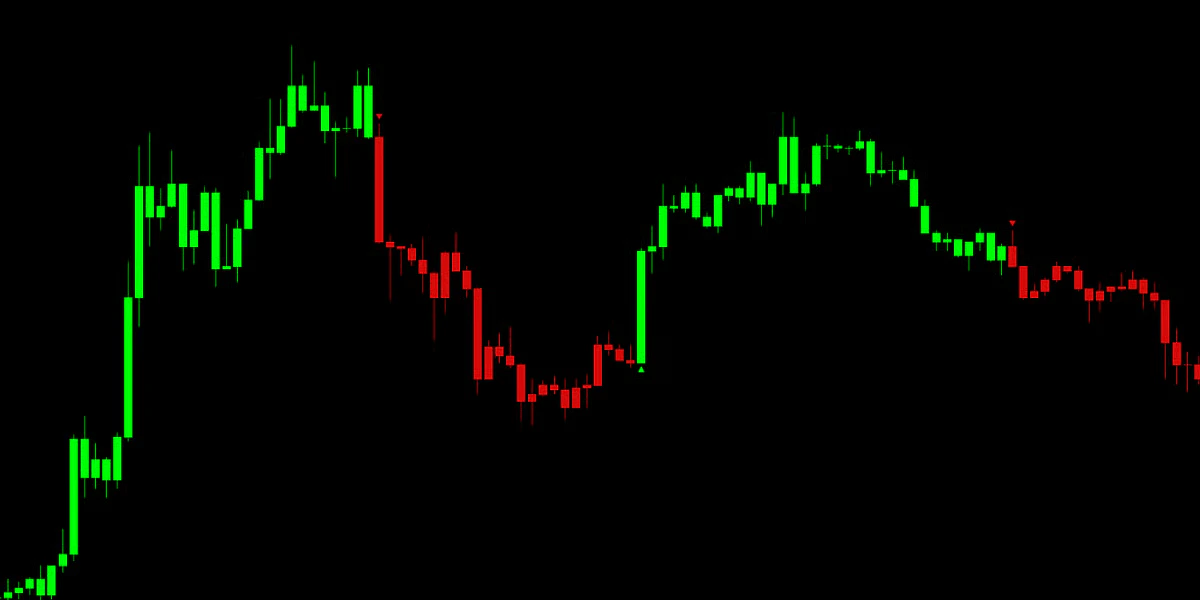
Clean & SimpleFor traders who prefer a binary, noise-free view, the Static mode offers a clear-cut visualization of the current Trend Posture.
Bullish Color: The Viper Trend Engine is strictly in an Uptrend.
Bearish Color: The Viper Trend Engine is strictly in a Downtrend.
Neutral Color: The market is in a transition or ranging phase (grey/neutral).
How to use it: This mode is ideal for keeping you on the right side of the market. If the candles are Green, look for long setups only. If they are Red, look for short setups only. It removes the ambiguity of intra-bar volatility.
Compatibility ModeSelect this option to disable the Mkt-Viper coloring engine entirely. Your candles will revert to the colors defined in your standard TradingView chart settings.
.png?fit=max&auto=format&n=BTEMalYyM0xskXeS&q=85&s=3495b9a1f1230446e6de7883f20fc8cd)