.png?fit=max&auto=format&n=BTEMalYyM0xskXeS&q=85&s=3495b9a1f1230446e6de7883f20fc8cd)
Strength Rank
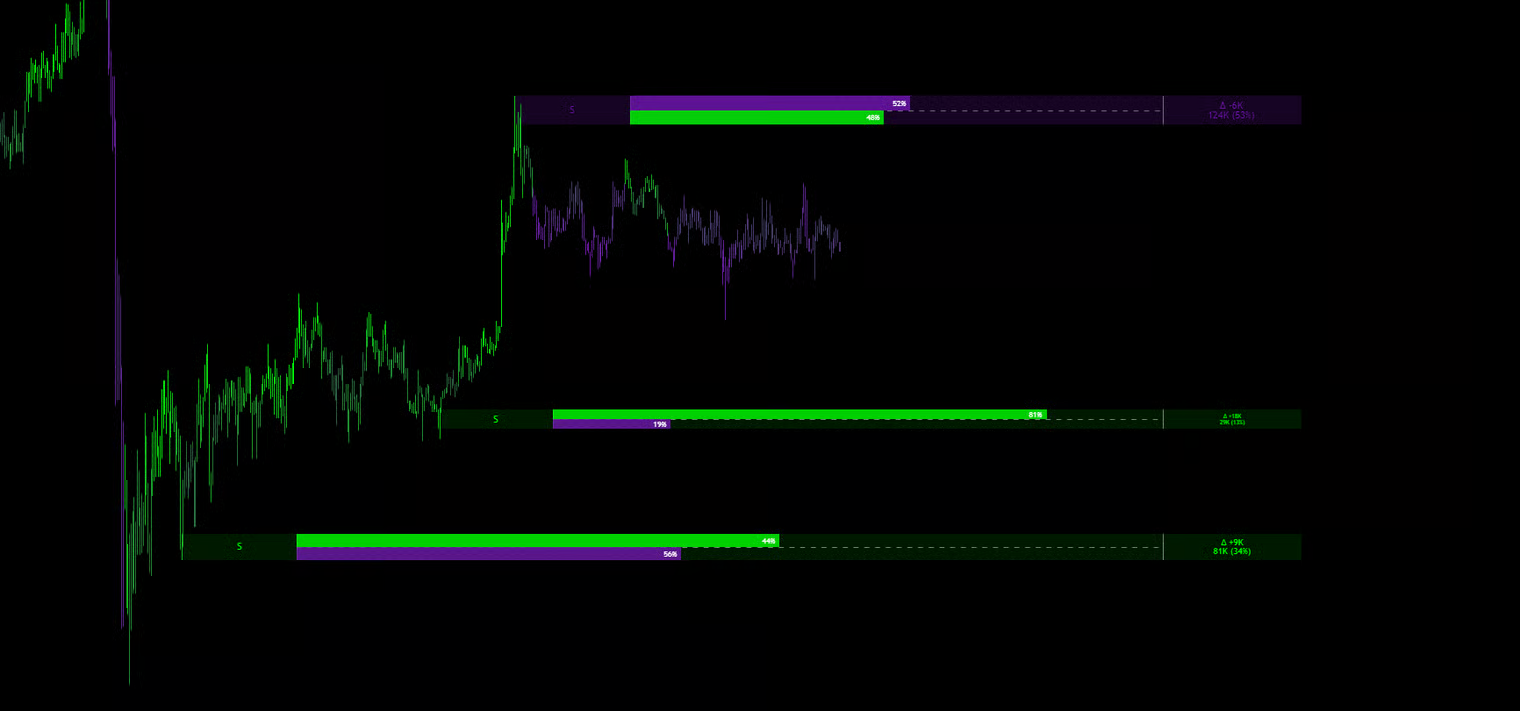
Unlike other tools that just draw a colored rectangle, Viper Edge looks inside the Order Block to analyze the volume data. Every active zone features a data label providing critical insights: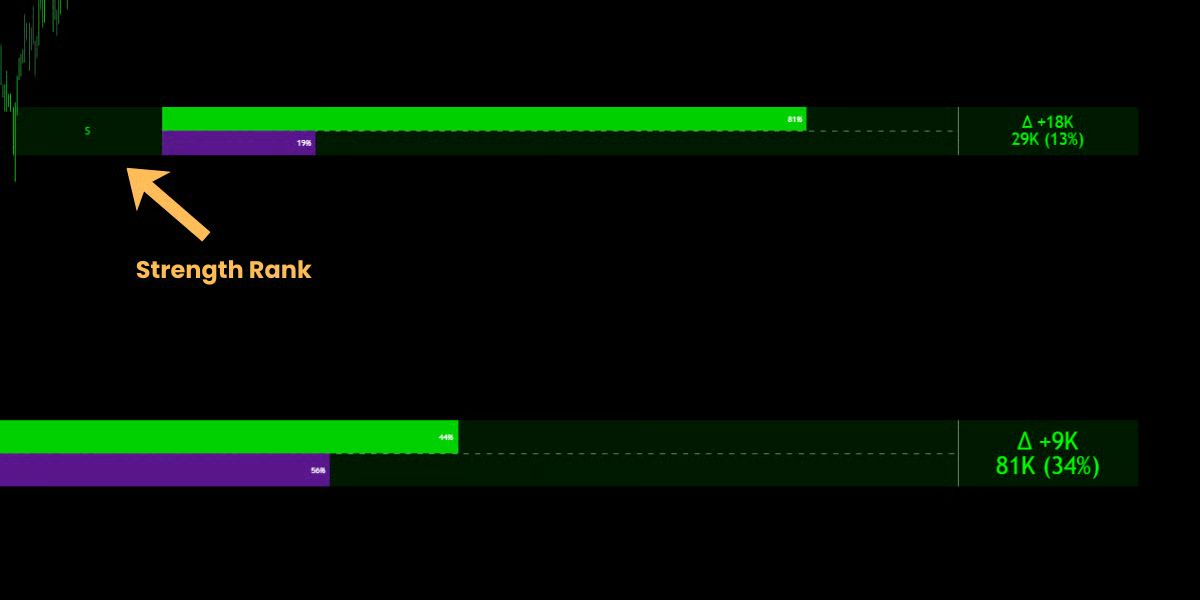
🔹 Strength Rank
A letter badge appears on the left side of the block:- [S] Strong: The block was formed with Above Average Volume. These are high-probability zones.
- [W] Weak: The block was formed with low volume. These zones are less reliable and may break easily.
Volume Composition
Mkt-Viper Edge provides an “X-Ray” view of every Order Block. Extending from the right side of every zone, you will see a Data Tab containing specific numbers. This data tells you not just where the orders are, but how aggressive the institutional participation was during the creation of that zone.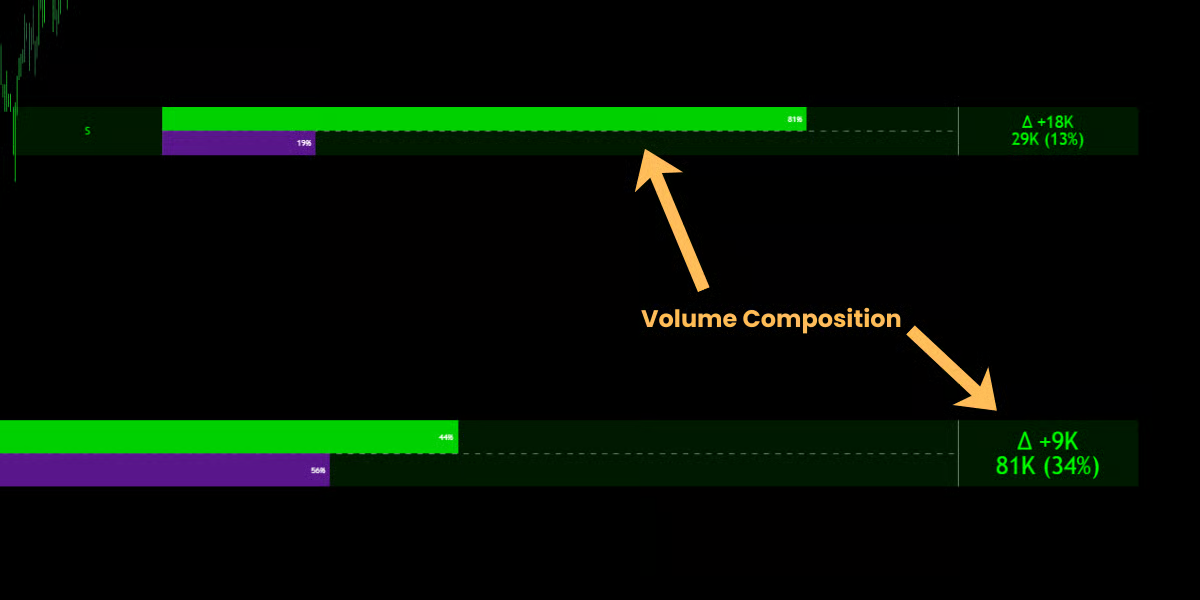
🔹 1. Cumulative Volume (Total Fuel)
- What it is: The bottom number in the Data Tab (e.g., 81k).
- Definition: This is the total sum of all volume or contracts traded during the formation of this Order Block.
- How to read it: Think of this as the “Weight” or “Mass” of the wall.
- A zone with 5M volume is concrete. It will take a lot of effort to break it.
- A zone with 50k volume is drywall. Price might smash right through it.
🔹 2. Delta Volume (Net Aggression)
- What it is: The top number with the Δ symbol (e.g., Δ +450K).
- Definition: Delta represents the Net Difference between Buying Volume and Selling Volume.
- Buy Volume - Sell Volume = Delta
- How to read it: This tells you who won the battle.
- Positive Delta (+): Buyers were the aggressors.
- Negative Delta (-): Sellers were the aggressors.
- Strategy: If you see a Bullish Order Block (Green) with a massive Positive Delta, it confirms that the move up was driven by aggressive market buying, not just a lack of sellers.
🔹 3. The Composition Percentages (The Ratio)
- What it is: The two small percentages inside the colored bars (e.g., 82% / 18%).
- Definition: This breaks down the Total Volume into a ratio of Buying vs. Selling pressure.
- How to read it:
- Top Number: The dominant pressure (Buy % for Green Zones, Sell % for Red Zones).
- Bottom Number: The opposing pressure.
- The “Golden Ratio”: Look for zones where the dominant side is > 70%.
- Example: A Bullish OB with 85% Buy / 15% Sell.
- Meaning: This was a one-sided domination. Institutions absorbed almost all liquidity. When price returns to this level, it is extremely likely to bounce because the sellers were already annihilated here.
Visual Behavior
- Bullish OB (Green): A Demand Zone. Look for Long entries when price returns here.
- Bearish OB (Purple/Red): A Supply Zone. Look for Short entries when price returns here.
- Mitigation (Greying Out): Once price touches (“mitigates”) a zone, the orders are considered filled.
- Default: The box is deleted from the chart to focus on fresh levels.
- Show Mitigated: If enabled in settings, the box turns Grey and fades into the background. This allows you to see historical reactions without distracting from live levels.
Settings & Filters
You have full control over which blocks appear via the “Order Blocks” settings group.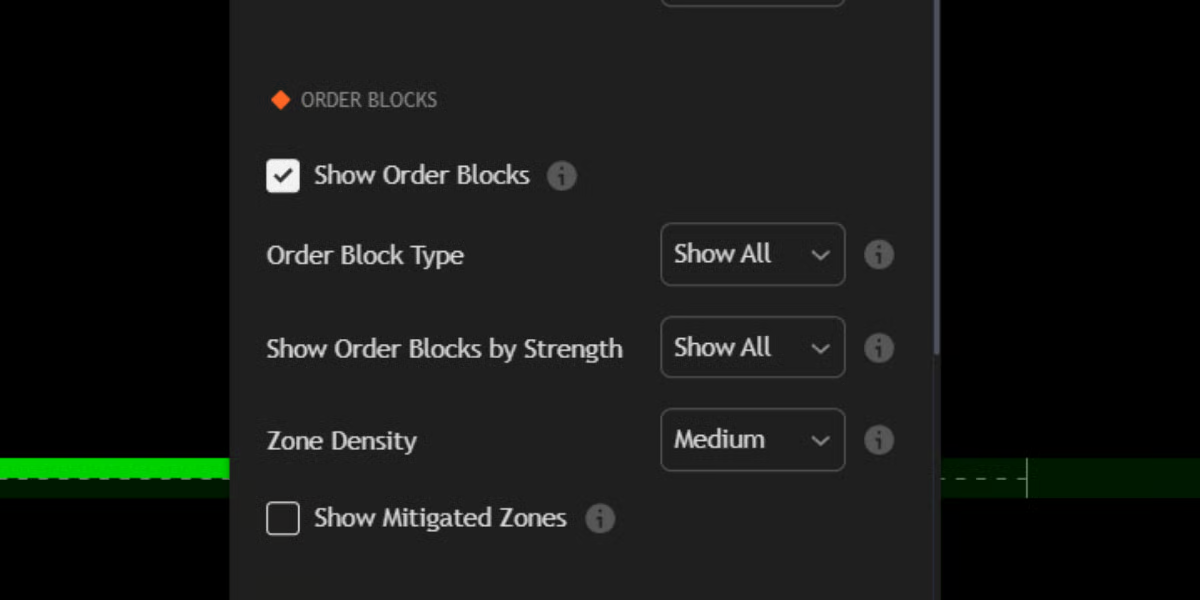
- Zone Density: Controls the history depth.
- Low: Shows the 3 most recent zones (Scalping).
- Medium: Shows the 5 most recent zones (Day Trading).
- High: Shows the 10 most recent zones (Swing Analysis).
- Filter Type: Choose to see “Strong Only” to filter out the noise and only trade the highest quality setups.
- Volatility Clamp: (Automatic Feature) If the candle that created the Order Block is massive (High Volatility), the engine automatically highlights only the premium/discount portion (the 50% edge) of the candle, rather than the whole range. This tightens your entry zone and improves Risk/Reward.